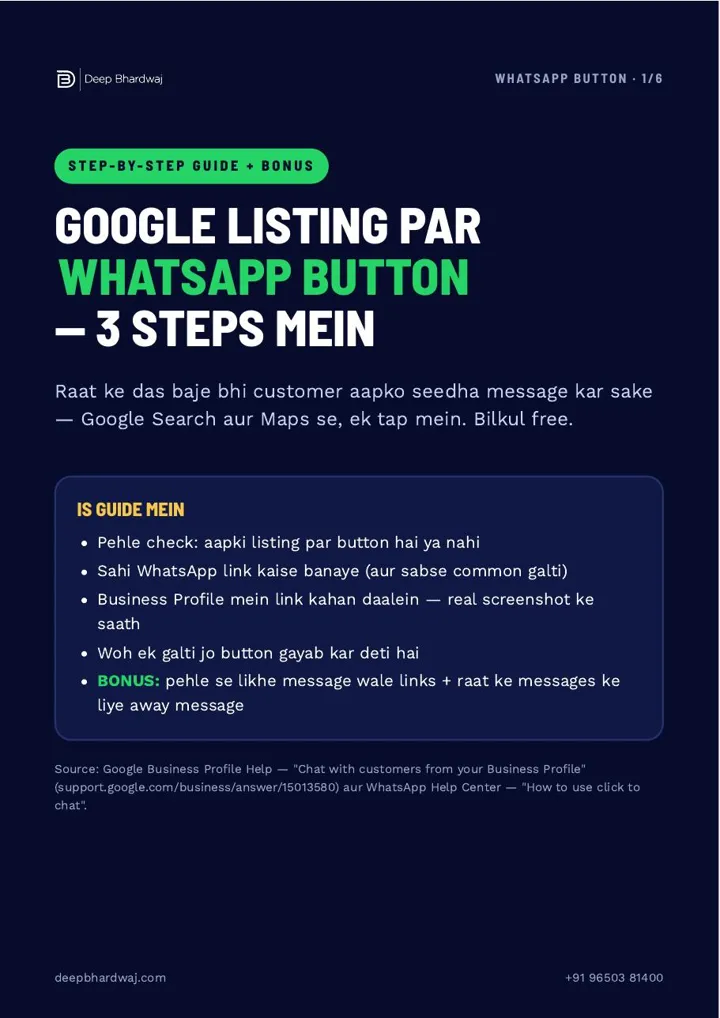

A customer finds you on Google at ten at night. They don’t want to call a shop that may be closed, so they look for a quicker way to ask about price, stock or an appointment. If your listing has no chat option, the next listing gets that message. The fix is free and takes about three minutes: add WhatsApp to Google Business Profile, so a WhatsApp button sits next to Call and Directions on Search and Maps. It is one of the first things we check in our local SEO services for small businesses. Below you will find how to check your listing, build the right link, add it, and avoid the one mistake that hides the button.
Quick answer: Build your link as https://wa.me/91 followed by your 10-digit mobile number, with no spaces or leading zero. Then search your business on Google, go to Edit profile, Contact, Chat, choose WhatsApp, paste the link and save. Keep the Text message field empty, or Google hides the WhatsApp button.
Key takeaways
- The WhatsApp button shows on mobile, so always check your listing from a phone.
- The correct link is wa.me/91 plus your 10-digit number, with no spaces, dashes or leading zero.
- Add it under Edit profile → Contact → Chat → WhatsApp, then save and recheck the next day.
- If both WhatsApp and Text message are filled in, Google shows only Text message.
- Chat needs a verified listing and is available only in select regions, according to Google.
Contents
Why should a local business add a WhatsApp button?
Many customers hesitate to call, especially late at night or during busy hours, but they will happily send a message. A WhatsApp button on your Google listing lets them chat with you in one tap from Google Search or Maps. Every message that doesn’t reach you is a customer who may go to a competitor instead.
Your listing is often the only thing a customer sees before they decide. Many searches now end on Google itself, which is why the playbook for zero-click searches puts so much weight on what your profile shows. Google also says that complete and accurate profile information helps it match your business to the right searches.
Jo message aapke paas nahi aaya, wo customer kisi aur ke paas gaya. (The message that never reached you was a customer who went somewhere else.)
— Deep Bhardwaj
How do I check if my listing already has a WhatsApp button?
Open Google on your phone, search your business name and look at the buttons on your listing. If you see WhatsApp or Chat next to Call and Directions, tap it and check that your own WhatsApp chat opens. Always check on a phone, because Google shows this button on mobile, not on a laptop.
Don’t skip the tap test even if the button is there. On some listings Google added a WhatsApp number by itself, and it was sometimes a wrong number or a landline. If the right chat opens, jump to the mistake section below. If there is no button, or the wrong chat opens, follow the next two steps.
How do I create the right WhatsApp link?
Google needs your WhatsApp click-to-chat link in the format https://wa.me/91XXXXXXXXXX. Write 91, India’s country code, followed by your 10-digit mobile number, with no spaces, dashes, brackets or leading zero. Open the link in your browser first and confirm it shows “Chat on WhatsApp” with your number.
Small typing mistakes break the link, and they are the most common reason the wrong chat opens. Here is how the four usual versions compare:
| Link you enter | What happens |
|---|---|
| wa.me/919876543210 | Correct: the customer lands straight in your chat |
| wa.me/9876543210 | Wrong: without 91 the number is read as another country’s |
| wa.me/09876543210 | Wrong: the leading zero stops the chat from opening |
| wa.me/91 98765-43210 | Wrong: spaces and dashes break the link |
Use the number that actually runs WhatsApp or WhatsApp Business, never a landline. Pick a phone someone checks through the day, or messages will arrive with nobody to reply. Google’s guidelines for representing your business also expect contact details that reach your business directly.
How do I add WhatsApp to Google Business Profile?
Sign in with the Google account that owns your listing, search your business name, then go to Edit profile, Contact, Chat, choose WhatsApp, paste your wa.me link and save. The button can take a few hours to appear, so check again from your phone the next day.
- Search your business name on Google, signed in as the listing’s owner.
- Tap Edit profile and open the Contact section.
- Tap the pencil next to Chat and choose WhatsApp.
- Paste your tested wa.me link and tap Save.
- The next day, search your business on your phone and tap the button to confirm the right chat opens.
According to Google, the chat option is available only in select regions and only on verified listings. If you can’t see Chat under Contact, check your verification first. If you manage several branches, Google lets you use the same WhatsApp link on more than one listing.
Contact details are only one part of a strong listing. If you want to see where else your profile is losing customers, run a quick audit of where your Google Maps ranking stands today next.
Why does the WhatsApp button disappear?
The most common reason is filling in both WhatsApp and Text message under Chat. When both are saved, Google shows customers only the Text message option, and the WhatsApp button never appears. If WhatsApp is what you want, keep only WhatsApp and leave the Text message field empty.
Small settings that nobody revisits quietly cost enquiries. Our breakdown of what really drives Google Business Profile performance in 2026 explains why accurate, complete details matter more than tricks.
What if the button still doesn’t show?
Most problems come from checking on a laptop, a missing 91, a number without WhatsApp, the Text message field, or a listing that isn’t verified yet.
- No button on a laptop: that is normal. Check on your phone.
- Wrong chat opens: open Contact, then Chat, and check the link has 91 and the right number.
- “Invalid number” message: that number has no WhatsApp, or there is a zero in front.
- Still nothing after saving: wait until the next day, empty the Text message field and confirm the listing is verified.
- No Chat option at all: the listing must be verified, and the feature is only in some regions for now.
Keep the same number consistent wherever your business is listed. If you also appear on directories, read our take on whether Justdial, IndiaMART and Sulekha listings still help SEO.
How can I make the first message easier for customers?
Add ?text= to the end of your link with a short message, so the customer only has to press Send. Write %20 for each space and %2C for each comma, so a link ending in ?text=Namaste%2C%20quote%20chahiye opens with “Namaste, quote chahiye” already typed. Test the finished link in your browser before you paste it.
The free guide has ready versions for salons and clinics (“appointment book karni hai”), restaurants (“table book karni hai”), shops (“price aur stock”) and service businesses (“quote chahiye”). Clinics that want more patients from search can also look at our SEO for clinics and hospitals.
For late-night messages, open the WhatsApp Business app, go to Business tools, turn on Away message and choose the “outside of business hours” schedule, plus a Greeting message. A line like “We are closed now and will reply first thing at 10 am” keeps the customer with you until morning.
Chats work best when they lead somewhere useful. Pair them with a website that is built to turn visitors into enquiries, and with Google Ads campaigns that bring in calls and chats when you need more volume quickly.
Is the WhatsApp button worth three minutes?
Yes. It costs nothing, it takes about three minutes, and it gives customers who won’t call a simple way to reach you. Add WhatsApp to Google Business Profile today, test it on your phone tomorrow, and keep only one chat option so the button stays visible.
A busy listing also needs regular updates; the next step is a simple 4-week plan for your Google posts. Staying visible as AI answers grow is covered in how local businesses keep winning the map pack after AI Overviews.
Want to see the rankings and enquiries our clients have gained, or have an SEO company in India review your listing and site? Start with a free check of your Google listing and website.
Services that help with this
- Local SEO services: Complete Google Business Profile setup and upkeep, from contact options to categories, reviews and posts.
- Website design: A fast website with clear WhatsApp and call buttons, so visitors from Google turn into enquiries.
- Free SEO audit: A free review of your listing and website that shows what is costing you calls and chats.
TL;DR
- A WhatsApp button lets customers who won’t call message you in one tap from Search or Maps.
- Use wa.me/91 plus your 10-digit WhatsApp number and test it in a browser first.
- Paste it under Edit profile → Contact → Chat → WhatsApp and recheck on your phone the next day.
- Keep only WhatsApp under Chat; adding Text message as well hides the WhatsApp button.
Frequently asked questions
Can I use my WhatsApp Business number on my Google listing?
Yes. Any mobile number that runs WhatsApp or WhatsApp Business works, as long as you write it as wa.me/91 followed by the 10-digit number. WhatsApp Business is the better choice for a local business because it gives you an away message, a greeting message and a business profile. Just make sure someone checks that phone during the day so messages get a reply.
Does a WhatsApp button help my Google Maps ranking?
Google hasn’t said that a chat button improves ranking on its own. What it does is make your listing more complete and easier to act on, so more of the people who already see you can reach you. Ranking on Google Maps still depends on relevance, distance and prominence, which come from your categories, reviews, photos, posts and website.
Will customers see my personal number when they message me?
Yes. When a customer opens your WhatsApp chat, they can see the number behind it, just as they would after calling you. If you don’t want to share a personal mobile, set up WhatsApp Business on a separate business number and use that link on your listing. It also keeps customer chats apart from family and friends.
Can I track how many people message me from Google?
Google Business Profile shows activity for your listing in Performance, including calls and other interactions, so check it each month after adding the button. A simple extra step is a pre-filled message such as “Google se aapka number mila”, which tells you straight away which chats came from your Google listing.
Why does my listing show a WhatsApp number I never added?
On some listings Google added a WhatsApp number on its own, and it was sometimes a wrong number or even a landline. Don’t assume it is correct just because a button exists. Tap it on your phone, and if the wrong chat opens, go to Edit profile, then Contact, then Chat, and replace it with your own tested wa.me link. Recheck the next day.