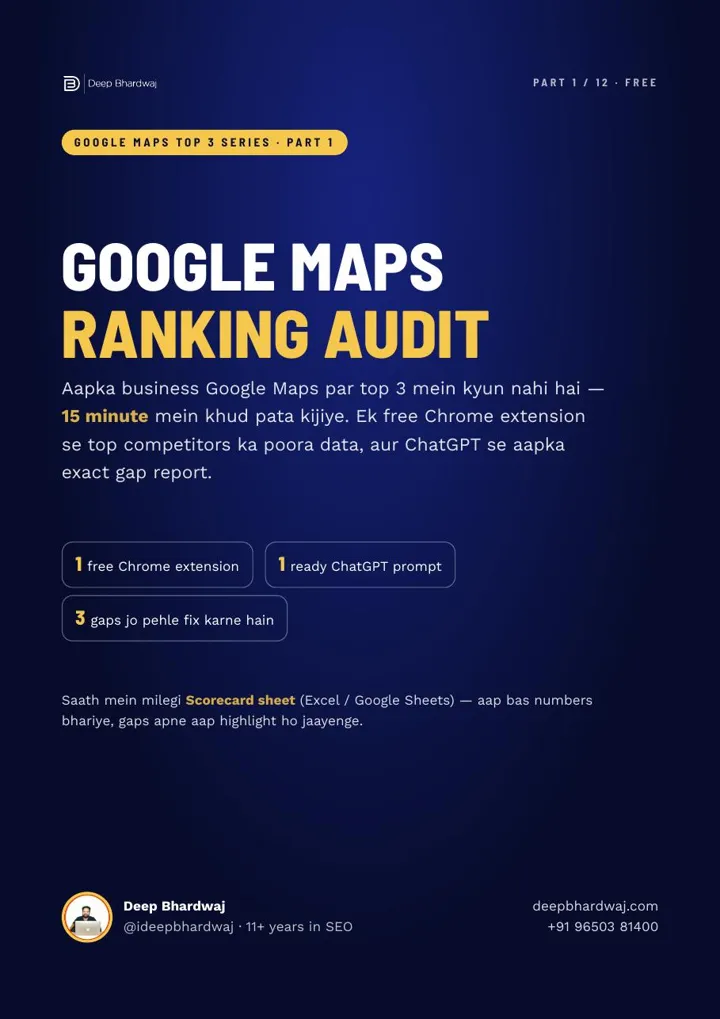

You have added photos, asked for reviews and changed a category, yet the same three competitors still sit above you on Google Maps, and you can’t tell what failed because you never knew what was missing. A Google Maps ranking audit fixes that in about 15 minutes, and it is the first thing any good SEO expert in India should do before touching your profile. You compare your listing with the businesses Google already shows in the Top 3, using a FREE Chrome extension and ChatGPT, and the difference becomes your to-do list. This is Part 1 of our “Google Maps Top 3” series.
Quick answer: A Google Maps ranking audit compares your Business Profile with the Top 3 listings for your keyword and area. Install the free GMB Everywhere extension, search keyword plus area, run a Local Scan of the top 20, then ask ChatGPT to turn the categories, reviews and services data into your three biggest gaps.
Key takeaways
- The audit takes about 15 minutes and needs only the FREE GMB Everywhere extension and ChatGPT.
- Search “keyword + area”, not “near me”, and save the result as your Day 0 screenshot.
- Local Scan puts the categories, reviews and services of the top 20 listings on one page.
- For “salon in karol bagh”, 15 of the top 20 used Beauty Parlour as their primary category.
- Work on only the top three gaps at a time and re-check every two weeks.
Contents
Why should I audit my listing before changing anything?
Because guessing wastes weeks. Most owners add photos, chase reviews or swap a category and then wait. When nothing moves, they can’t tell what failed. An audit compares you with the businesses Google already ranks in the Top 3, so every change you make answers a real, visible gap.
Google names three main factors for local results: relevance, distance and prominence. You can’t change distance, but categories and services drive relevance, and reviews drive prominence. Those are exactly the three things this audit measures.
Step 1: What does the free GMB Everywhere extension show?
Google Maps shows only one category under each business name and hides the rest. GMB Everywhere is a FREE Chrome extension that reveals those hidden details inside Google Maps itself. A profile can have one primary category and up to nine additional ones, and the hidden ones often explain why a competitor beats you.
Open the Chrome Web Store, search for “GMB Everywhere” and click Add to Chrome. That is the whole setup.
Step 2: How should I search to see my real position?
Type your main keyword with your area, such as “salon in karol bagh”, not just “near me”. “Near me” results change with your exact location, so a search from inside your shop flatters you. Note your position, take a screenshot and call it Day 0, the point every later check is measured against.
Now look under each listing. The extension adds a “GMB Cat.” line; the category marked with a ⭐ is the primary, and the rest are the secondary categories Google normally keeps out of sight.
Step 3: What does a Local Scan of the top 20 tell me?
A Local Scan pulls the data of the top 20 businesses for your search onto one page, so you don’t check listings one by one. Click the ⚡ Local Scan button above the results (it needs a free GMB Everywhere account) and focus on three tabs: Categories, Reviews and Services.
- Categories: the most common categories in your area and the primary the leaders use.
- Reviews: average rating and review count, so you see how far ahead the top 3 are.
- Services: services competitors list that you don’t.
For “salon in karol bagh”, the scan showed 16 different categories across the top 20. Beauty Parlour was used by 18 of them, and 15 used it as their primary. A pattern like that tells you quickly what Google expects a business like yours to look like.
Step 4: How do I turn the data into a gap report with ChatGPT?
Give ChatGPT your own details and the competitor data, then ask it to compare and prioritise. The free plan is enough. A good prompt has four parts: your details, the competitor data, a clear task and firm rules. The rules matter as much as the task, because they stop risky shortcuts.
- Your details: business type, keyword and area, map position, categories, reviews, rating and services.
- Competitor data: the “GMB Cat.” lines of #1, #2 and #3, plus the Local Scan tabs (Categories has a “Copy all” button).
- The task: compare categories, check your primary, rank your top three gaps by effect on ranking, and give one task per gap for this week plus a four-week plan.
- The rules: no categories for work you don’t do, no fake reviews, no keywords in your name, no guessing about missing data.
Without rules, ChatGPT will happily suggest things that break Google’s rules for business names and categories, such as stuffing keywords into your name. For a fair view of the tool, read what ChatGPT can and can’t do for SEO. The full ready-to-paste prompt is in the free guide.
ChatGPT is a helper in this audit, not the goal. Getting your business recommended inside AI answers is a separate job, which we handle through our AI SEO services.
How do I read my gap report?
Look for the biggest differences between you and the Top 3, and sort them into relevance gaps (categories, services) and prominence gaps (reviews). Take a made-up salon in Karol Bagh at #7 with one category while the top 3 use four to six. Its report would look like the table below.
| Gap | This salon | Top 3 | Type | Fix this week |
|---|---|---|---|---|
| Categories | 1 | 4–6 | Relevance | Add categories for services it really offers, such as Beautician and Hairdresser |
| Services listed | 3 | 16 | Relevance | Add every real service with a one- or two-line description |
| Fresh reviews | Few | Regular | Prominence | Review link on WhatsApp after every bill and a QR code at the counter; aim for 3–4 a week |
Work on these three only. If you change everything at once, you’ll never know what worked. Re-check every two weeks with the same keyword and area in incognito, and keep your website in step with a 20-minute monthly Google Search Console routine.
“Ek baar mein sirf top 3 gaps par kaam kijiye.” (Work on only your top three gaps at a time.)
— Deep Bhardwaj
Which audit mistakes should I avoid?
The most common mistake is measuring with a “near me” search from your own shop. Close behind are copying competitor categories that don’t fit your business, comparing against one competitor instead of the top three, and trusting ChatGPT’s guesses when you gave it only half the data.
- Doing the audit once and never repeating the search to measure progress.
- Acting on any suggestion that breaks Google’s rules, such as buying reviews.
Deciding whether to run this yourself or hand it over? Our comparison of agency vs freelancer vs in-house SEO lays out the trade-offs, and our guide on how to evaluate an SEO company lists what to ask, starting with their Day 0 screenshot.
What should I fix after the audit?
Fix categories and services first. In most audits they are the quickest gaps to close, which is why the next parts of this series take them one at a time. Part 2 explains how to choose your primary and additional categories, and Part 3 covers the Services section that most profiles leave empty.
Reviews come next. To see how all these signals fit together, read our breakdown of which Google Business Profile ranking factors matter most in 2026.
How soon will I see results?
Ranking doesn’t change in a day. Depending on your business, city and competition, results can take a few weeks to a few months. Run the Google Maps ranking audit today, save your Day 0 screenshot, fix your three gaps and repeat the check every two weeks. Consistency is the real secret.
Short on time? Send us your listing through our free website and profile check and we’ll tell you which gap to fix first, or compare our monthly SEO plans.
Services that help with this
- Free SEO audit: Send us your profile and website; we find the gaps keeping you out of the Top 3.
- Local SEO services: We run the audit, fix the gaps and re-check your Maps ranking every month.
- SEO consultant: One expert for your website, profile and AI search visibility when Maps is only part of the plan.
TL;DR
- An audit replaces guesswork with a gap list taken from the Top 3.
- GMB Everywhere and Local Scan show competitors’ hidden categories, reviews and services for free.
- ChatGPT turns that data into a prioritised gap report, if you give it firm rules.
- Fix three gaps at a time and re-check every two weeks against Day 0.
Frequently asked questions
Is GMB Everywhere safe and free to use?
The extension is free to install from the Chrome Web Store, and the category line and Local Scan used in this audit work with a free account. It only reads public information that Google Maps already shows, so it does not touch or change your own Business Profile. As with any extension, install it from the official store listing and review the permissions it asks for.
Can I do a Google Maps competitor analysis without paid tools?
Yes. A free Chrome extension shows each competitor’s categories and a top-20 overview, Google Maps itself shows their reviews, photos and posts, and the free version of ChatGPT can organise the comparison for you. Paid geo-grid and tracking tools add convenience and history, but they are not needed for a first, useful competitor analysis of your area.
Why is my business not in the Google Maps Top 3 even with good reviews?
Reviews are only one signal. If your categories are too narrow, your services section is thin, or the searcher is far from your address, strong reviews alone may not lift you. Many listings with good ratings also stall because the review flow has stopped. Comparing your profile with the current top three shows which of these is holding you back.
How is a Google Maps ranking audit different from a website SEO audit?
A Maps audit looks at your Business Profile against nearby competitors: categories, services, reviews and activity. A website audit checks your site’s pages, speed, content and technical health for normal search results. Both matter for a local business, because Google uses your website as supporting evidence for your profile, but they answer different questions and use different tools.
Should I audit competitors in nearby areas too?
Yes, if you want customers from those areas. The Top 3 can change completely a few kilometres away, so repeat the keyword-plus-area search for each locality you care about. You may find different leaders, categories and review levels in each one. A geo-grid rank check is the easiest way to see all those areas on a single map.