
You open Google one morning and your listing shows the wrong closing time, or a category you never chose. Nobody on your team touched it. Google Business Profile suggested edits are the reason: customers, strangers and even competitors can propose changes to your listing, and some of them go live if you do nothing. Google gives you a short window to respond, and your own website can tip the decision. Keeping that window under control is basic Google listing and local SEO management. This page explains the 4-day rule from Google’s help page, why website consistency matters, and a six-step checklist that keeps your hours, address, phone number and category in your hands.
Quick answer: Anyone can suggest an edit to a Google Business Profile. When a suggested edit needs your review, Google may email or notify you, and you have 4 days to accept or reject it. If you do not respond and public information such as your website supports it, Google may publish the change. So check notifications daily.
Key takeaways
- Customers, strangers and competitors can all suggest changes to your Google listing.
- When an edit needs your review, you get 4 days from the notification to accept or reject it.
- If you stay silent and your website supports the change, Google may publish it.
- Some edits can go live without your review when policy guidelines require it.
- Matching website and listing details, plus a second manager, is the best protection.
Contents
What are suggested edits on a Google listing?
A suggested edit is a change to your business information proposed by someone other than you, such as a customer, a Google Maps user or a competitor. It can touch your hours, address, phone number, website or category. Google reviews these suggestions and, in some cases, asks you to approve or reject them first.
Most suggestions are honest. A customer notices you open earlier on Sundays and says so. But the same system can be used carelessly or on purpose, and a wrong closing time or category quietly costs you calls. Since categories are one of the signals Google uses to match you to searches, a changed category can also affect the Google Business Profile ranking factors that matter in 2026.
What is the 4-day rule for suggested edits?
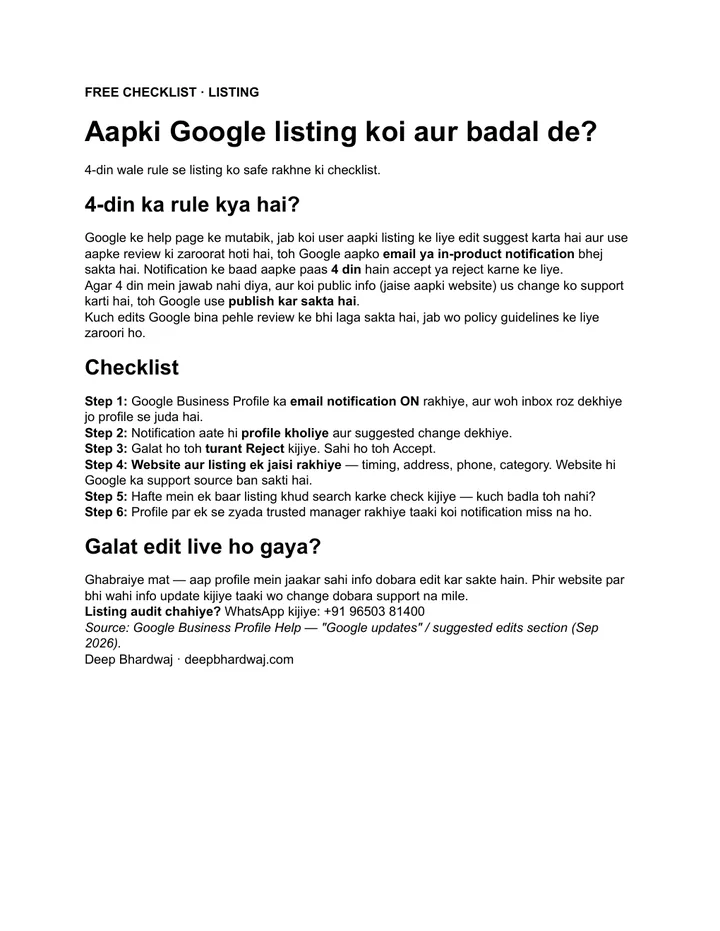
When a suggested edit requires your review, Google may send you an email or an in-product notification. From that notification, you have four days to accept or reject the change. If you do not respond within four days, Google may publish the update automatically when other public information, such as your website, supports it.
That is how Google’s help page on understanding Google updates on your Business Profile describes it. The same page notes that Google may apply some user edits without prior review when they are needed to meet policy guidelines.
Four days goes quickly for a busy owner. A notification that lands in an inbox nobody checks, or during a festive rush, is easy to miss.
Why does your website decide which edit wins?
Because Google looks for public information that supports a change. If your website still shows old timings or a previous address, a wrong suggestion that matches it has backing. If your website matches your listing exactly, a wrong suggestion has nothing to lean on.
This is the same consistency rule behind keeping Justdial, IndiaMART and Sulekha listings consistent. Name, address, phone, hours and category should read the same everywhere. Google’s guidelines for representing your business also ask that your listing reflects your business as it is in the real world.
| Situation | What can happen | Risk to your listing |
|---|---|---|
| You reply within 4 days | You accept the right change and reject the wrong one | Low |
| No reply, website matches your listing | A wrong suggestion has no public support | Lower |
| No reply, website is outdated | Google may publish a change your website supports | High |
| Edit needed for policy reasons | Google may apply it without prior review | Check weekly |
Which listing details are most at risk?
The details customers act on are the ones that hurt most when they change: opening hours, phone number, address, website link and primary category. A wrong hour sends a customer to a closed shutter. A wrong phone number sends the call elsewhere. A wrong category can change which searches you appear for at all.
Seasonal changes make this worse. Festive hours, Sunday timings and temporary closures are exactly when customers and Maps users suggest updates, and exactly when owners are busiest. If you change timings for Diwali or a wedding season, update the website on the same day as the listing, so both sources agree.
Businesses with several branches carry more risk, because each location is a separate profile with its own notifications. A multi-location SEO partner usually tracks every branch from one sheet: the details that should be live, the person who owns each profile, and the date of the last check.
How do you protect your listing from wrong edits?
Keep notifications on, act within four days, reject anything wrong, and make your website match your listing. Add a weekly self-check and a second trusted manager so a notification is never missed. These six steps from the checklist take a few minutes a week once they are set up.
- Keep Google Business Profile email notifications on, and check the inbox linked to the profile every day.
- When a notification arrives, open the profile and look at the suggested change.
- If it is wrong, reject it straight away. If it is right, accept it.
- Keep your website and listing identical: timings, address, phone and category. Your website can become Google’s supporting source.
- Once a week, search for your business on Google and check that nothing has changed.
- Add more than one trusted manager to the profile so no notification is missed.
Step 6 matters more than it looks. Many listings are tied to one person’s email, often someone who left the business. A look at the results we get for client listings shows how much depends on simple housekeeping like this. If your clinic or practice lists doctors’ timings, the SEO approach for clinics and hospitals treats hours as critical data for the same reason.
Your website is Google’s witness. If it tells the same story as your listing, a wrong edit has nothing to stand on.
— Deep Bhardwaj
What if a wrong edit is already live?
Do not panic. Open your profile, edit the information back to what is correct, and then update the same detail on your website so the wrong version no longer has any public support. Fixing both together stops the same change from coming back through another suggestion.
Then look at why it slipped through. Was the notification email unread? Was the website showing old timings? Fix the cause, not only the symptom. If calls dropped while the wrong detail was live, our guide on a listing that gets views but no calls helps you check the rest of the customer journey.
A wrong phone number or closed sign can also bring in confused or angry reviews. Reply calmly and fix the facts; getting more Google reviews the right way then helps rebuild trust.
What is the next step?
Google Business Profile suggested edits are part of how Google keeps listings accurate, so you cannot switch them off. You can make sure every change goes through you. Turn notifications on, add a second manager, match your website to your listing, and run the weekly check. For a full review, book a free check of your listing and website, or work with an SEO consultant who manages Google listings every week.
Services that help with this
- Local SEO: Ongoing Google Business Profile management, including suggested-edit monitoring.
- SEO consulting: Keep your website, listing and directories consistent so wrong changes have no support.
- Free SEO audit: A check of your listing details against your website and directories.
TL;DR
- Anyone can suggest an edit to your Google listing.
- You have 4 days from the notification to accept or reject it.
- An outdated website can support a wrong change, so keep both identical.
- Notifications on, a second manager and a weekly check keep the listing safe.
Frequently asked questions
Can a competitor really change my Google Business Profile?
Anyone with a Google account can suggest a change, including a competitor. A suggestion is not the same as an edit going live: Google reviews it, may ask you to approve or reject it, and checks public information such as your website. Most problems happen when the owner misses the notification and the website still shows old or unclear details that seem to support the change.
Where do I see suggested edits on my profile?
Google sends an email or an in-product notification when a suggested edit needs your review. Open your Business Profile from that notification, or search your business name on Google while signed in to the managing account, and look for updates waiting for review. Make sure the email address linked to the profile is one that somebody in the business actually reads every day.
Why did Google change my business hours without asking me?
Google may apply some user edits without prior review when they are needed to meet policy guidelines, and it may publish a suggestion after four days if you did not reply and public information supports it. Compare the new hours with your website and other listings. Correct the profile, update your website to match, and keep notifications on so future changes reach you.
Does rejecting a suggested edit hurt my ranking?
There is no sign that rejecting a wrong suggestion harms your visibility. Accurate information is what Google asks for in its guidelines, and correct hours, category and address help customers who find you. What can hurt is letting wrong details stay live, because customers may arrive when you are closed, call the wrong number or leave a frustrated review.
How many managers should a Google Business Profile have?
At least two people you trust, ideally the owner plus one manager or your agency. This means notifications reach more than one inbox and access is not lost if someone leaves. Give only the access each person needs, and remove former staff promptly. Review the list of owners and managers every few months as part of your regular listing check.