
A customer who once searched Google for “AC repair near me” may now just ask ChatGPT. If ChatGPT has old or wrong details about you, it guesses, and the customer calls someone else. The ChatGPT Business Hub, launched as a free beta on 10 November 2026, lets you claim your business profile and give ChatGPT the facts yourself. It is now part of serious AI search optimisation for any business. This guide covers the two-minute check to run first, how to claim and verify, how to write the description, and a 30-day plan with a bonus prompt to see what ChatGPT says about you.
Quick answer: Open chatgpt.com/business-hub, log in, search your business name and select it, or add a new profile if eligible. Verify with your business phone, business email or a website DNS TXT record, complete the photo-ID check, then write a clear description: what you do, where and for whom. Claiming is free during the beta.
Key takeaways
- The ChatGPT Business Hub launched as a free beta on 10 November 2026 at chatgpt.com/business-hub.
- Ask ChatGPT about your business first and note every wrong or missing detail.
- Verify with your business phone, business email or a TXT record on your website domain.
- Write the description as what you do, where you serve and who your customers are.
- Keep the same phone, email and address on Google, your website and the ChatGPT profile.
Contents
What is the ChatGPT Business Hub?
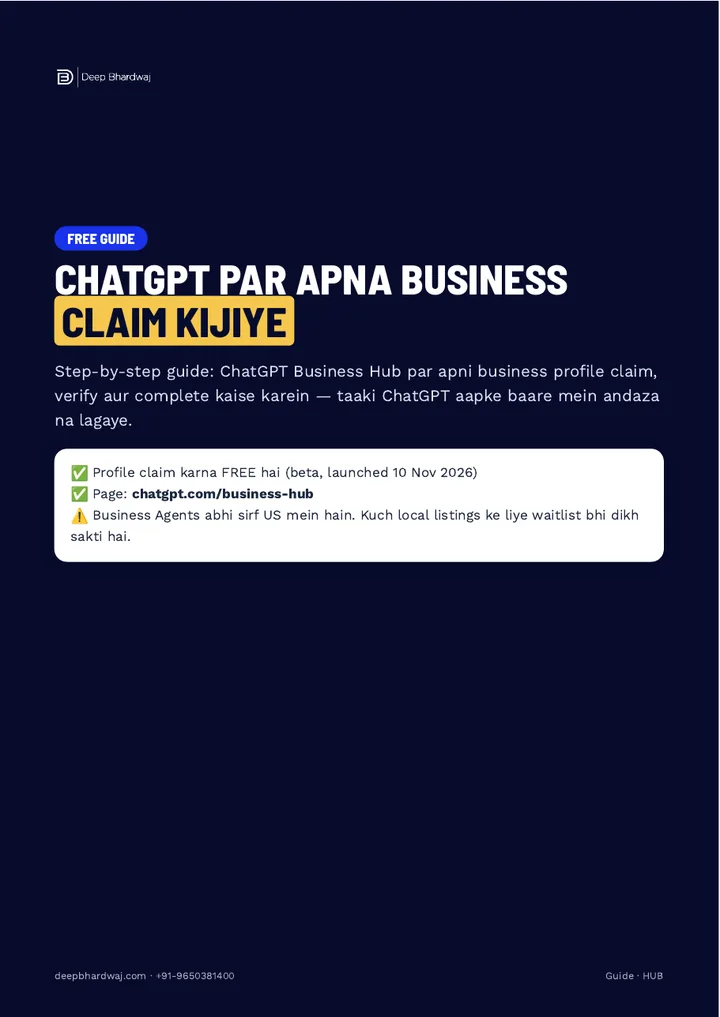
The ChatGPT Business Hub is a page at chatgpt.com/business-hub where a business owner can find their business, claim the profile, verify ownership and fill in the details. It launched as a beta on 10 November 2026, and claiming a profile is free. It gives you a direct way to tell ChatGPT who you are.
Until now, ChatGPT could only piece your business together from whatever it found online: an old directory page, a review, a cached website. If those sources disagreed, the answer a customer got could be wrong. This is the same shift behind generative engine optimisation (GEO) and answer engine optimisation: being the source an AI answer relies on, not just a blue link.
Two limits to know before you start. Business Agents, the chat feature on top of the profile, are only live in the US for now. And some local listings may see a waitlist instead of an instant claim. The profile itself is still worth claiming today.
Why should you check what ChatGPT says about you first?
Because you need to know what is wrong before you can fix it. Open ChatGPT and ask: “Tell me about [your business name] in [your city]: timings, phone, services.” Note every detail that is wrong or missing. Those notes become your to-do list for the profile, and the whole check takes about two minutes.
Our sibling guide on fixing wrong business information in ChatGPT and Gemini covers where those errors usually come from.
How do you claim your business on ChatGPT?
Log in to ChatGPT, open chatgpt.com/business-hub, search for your business name and select it. If it does not appear, follow the option to add a new profile, which is available for eligible online businesses. Use the official business email or phone, never a staff member’s or an agency’s personal account.
- Open chatgpt.com/business-hub in your browser and log in with your ChatGPT account.
- Type your business name in “Search business”.
- If your business shows up, select it. If not, follow the steps to add a new profile.
- Choose one verification method: business phone, business email or website domain.
- Complete the identity check and wait for the decision by email.
- Write the description, set the category and add contact details and timings.
The most common mistake at this stage is claiming from someone else’s account. If that person leaves, so does your control over the profile.
Which verification method should you choose?
Pick the method that matches details you already control. A business phone gets an SMS or automated call. A business email works best on your own domain. A website domain check asks you to add a TXT record in your hosting or DNS panel. After that comes an identity check, and a review whose decision arrives by email.
| Method | How it works | Best for |
|---|---|---|
| Business phone | SMS or automated call to the number | Shops, clinics and service businesses with one main number |
| Business email | A link or code sent to the email | Businesses with an email on their own domain |
| Website domain | Add a TXT record in the DNS or hosting panel | Businesses whose website and domain they manage directly |
The identity step uses a QR code or secure link plus a photo ID. If your domain or DNS was set up by a developer you no longer work with, now is a good time to get access back; a proper business website setup should always leave the domain login with you.
Why must your phone, email and address match everywhere?
Because mismatched details are where verification and AI answers both go wrong. If your Google listing shows one number and your website another, you create doubt about which is right. Keep one phone, one email and one address across your Google listing, website and the ChatGPT profile, and the answers stay consistent.
Google asks for the same thing in its guidelines for representing your business on Google: your listing should match how your business appears in the real world. Keeping that discipline on Google is the core of good local search and Google listing management, and the same details now feed AI assistants too.
How should you write your profile description?
Write it so a stranger understands your business in one read. Cover three things: what you do (main services), where you serve (city or areas) and who your customers are. Then add contact details, timings and, where it applies, your delivery or return policy.
ChatGPT ko andaza mat lagane dijiye. Aap kya karte hain, kahan karte hain aur kiske liye, yeh khud likhiye.
— Deep Bhardwaj
Here is the example from the guide: “AC repair, installation and AMC for homes and offices in Faridabad. Same-day visit, Sector 1–89. 9 am to 8 pm.” It names the service, the area and the hours in two short lines. A local business in Faridabad that also wants Google traffic can pair this with a Faridabad SEO plan so the website says exactly the same thing. Writing for people first is also what Google’s guidance on creating helpful, people-first content recommends.
How do you test what ChatGPT knows about you every month?
Run the bonus prompt from the guide once a month. Ask ChatGPT, as if it were a customer, which businesses it would suggest for “[your service] near me” and why, what it knows about your timings, phone, services and reviews, what is wrong or missing, and which five things you should add so it shows you correctly.
Compare the answers month to month. This walkthrough on tracking your brand’s visibility in ChatGPT and AI search shows how to log it properly, and this guide on ranking in ChatGPT search step by step explains what moves those answers.
What does a 30-day plan look like?
Day 1: claim and verify the profile. Day 2: write the description and add timings. Day 7: make sure your Google listing, website and ChatGPT profile all show the same details. Day 14: ask five happy customers for new reviews. Day 30: run the bonus prompt again and compare.
The Day 14 step matters because reviews are part of what AI tools read about you. Our guide on getting more Google reviews in India without breaking the rules shows how to ask the right way. Over time, mentions on trusted sites help too, which is why building a brand that AI models recommend is the longer game.
If you are not sure where your listing and website stand today, start with a free SEO audit of your website and listing before you write a single word of the profile.
Should you claim your ChatGPT business profile now?
Yes. It is free, it takes one sitting, and it replaces guesswork with facts you wrote yourself. Check what ChatGPT says, claim and verify, write a clear description, keep details identical everywhere and re-test monthly. Features depend on how OpenAI rolls them out, and results differ by business, but an unclaimed ChatGPT Business Hub profile leaves the story to someone else. Results build month by month, so start with the claim this week.
Services that help with this
- AI SEO services: Make ChatGPT, Gemini and Google’s AI answers describe your business correctly.
- Local SEO: Keep your Google listing, website and AI profiles consistent and complete.
- Free SEO audit: Find the wrong or missing details on your website and listing before you claim.
TL;DR
- Claim your business at chatgpt.com/business-hub; it is free during the beta.
- Check what ChatGPT says about you first and fix those details.
- Verify by phone, email or DNS TXT record, then pass the photo-ID check.
- Write a clear what/where/who-for description and re-test every month.
Frequently asked questions
Is the ChatGPT Business Hub available in India?
Claiming a profile is free during the beta that launched on 10 November 2026, at chatgpt.com/business-hub. Business Agents, the chat feature built on top of the profile, are only live in the US for now, and some local listings may see a waitlist. Claim and complete what you can today so your details are ready as features roll out.
Does claiming my ChatGPT profile replace my Google Business Profile?
No. They do different jobs. Your Google Business Profile powers Google Search and Maps, while the ChatGPT profile gives ChatGPT verified facts about you. Keep both, and keep the name, phone, email, address and timings identical on each, plus your website. Mismatched details are the most common reason AI tools give customers the wrong answer.
What if my business does not show up when I search?
Try the exact name as it appears on your signage and Google listing, then a shorter version. If it still does not appear, follow the option to add a new profile, which is available for eligible online businesses. Some local listings may also see a waitlist during the beta. Meanwhile, make sure your website and Google listing are complete, since those are what ChatGPT reads.
Who should verify the profile, me or my agency?
Verify with the official business phone, the business email or your own website domain, from an account the business controls. An agency can help, but it should not own the profile. If an employee or agency claims it from a personal account and later leaves, you can lose control of how ChatGPT describes your business.
How often should I check what ChatGPT says about my business?
Once a month is enough for most local businesses. Run the bonus prompt from the guide: ask ChatGPT, as a customer would, what it suggests for your service near you, what it knows about your timings, phone and services, and what is missing. Note the changes each month, and update your profile, website and Google listing whenever something drifts.