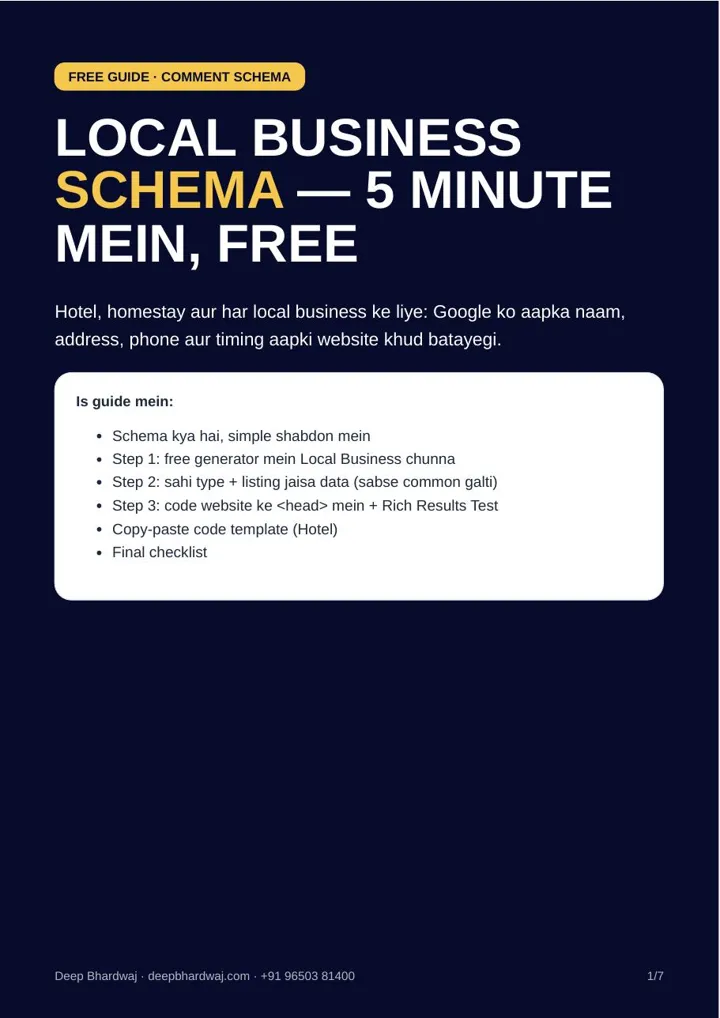

A guest searches for your homestay, finds your website and sees one phone number, then opens your Google listing and sees another. Google notices the same mismatch. Local business schema is a small piece of code that tells Google your business name, address, phone and opening hours straight from your website, and it is one of the first things we check during technical SEO fixes for business websites. Most local websites do not have it. This guide shows how to add it in about five minutes with a schema markup generator, which type to choose for a hotel or homestay, and how to confirm it works with Google’s own test.
Quick answer: Local business schema is JSON-LD code in your website’s head section that tells Google your business type, name, address, phone and timings. Open any schema markup generator, choose Local Business, pick the right type (Hotel or LodgingBusiness for stays), copy your Google listing details exactly, paste the code in the head and check it in the Rich Results Test.
Key takeaways
- Schema is invisible to visitors but tells Google who you are, where you are and when you are open.
- Choose Local Business or its sub-type, such as Hotel or LodgingBusiness, never Organization or Article.
- Name, address, phone and timings must match your Google Business Profile exactly.
- Paste the code inside the head section of your website, then publish.
- Google’s Rich Results Test should show “Valid item detected”; schema does not guarantee rankings.
Contents
What is local business schema?
It is structured data: a short block of JSON-LD code that sits inside your website. Visitors never see it. Google reads it and learns, in a fixed format, what your business is, where it is, which phone number to use and when you are open.
Google’s own documentation on LocalBusiness structured data says this markup can tell Google about business hours, departments within a business and more. In the guide’s words, the benefit is simple: Google understands your details more easily, and your website’s information lines up with your Google listing.
It is basic hygiene, not a ranking trick. Schema is also one of the formats AI search tools read, which is why it appears in our list of schema types every site needs for AI search in 2026.
What do you need before you start?
You need two things: your Google Business Profile details written in one place, and access to edit your website’s code. Collect the exact name, address with PIN code and phone number from the listing first, so you copy them rather than retype them from memory.
For access, keep your WordPress admin, Wix or Shopify login ready, or ask your developer. If your listing itself is messy, fix it first. Google’s guidelines for representing your business on Google ask for your real-world business name, and the schema should copy that same name.
How do you add the code in three steps?
Generate the code, fill it with your listing details, and paste it into your website’s head section. The whole job takes about five minutes once your details are ready, and you can confirm it worked in under a minute with Google’s free test.
- Open a generator. Search Google for “schema markup generator”. Any free JSON-LD generator works. In the “Which schema markup?” dropdown, choose Local Business. The code builds on the right as you type.
- Pick the type and copy your listing. Set @type to your business sub-type and fill in name, address, telephone with +91, opening hours, your homepage URL and one real photo.
- Paste and test. Copy the code into the <head> of your website, publish, then run your homepage URL through Google’s Rich Results Test.
Do not choose “Organization” or “Article” for a business people visit in person. A physical location needs Local Business or one of its sub-types.
Which schema type should a hotel or homestay choose?
A hotel or homestay should use Hotel or LodgingBusiness. Other local businesses have their own sub-types: Restaurant for restaurants, MedicalClinic for clinics, Store for shops. Picking the closest sub-type tells Google more than the general Local Business label does.
The type is the easy part. The step most people get wrong is the data, so here is the field-by-field version from the guide.
| Field | What to enter | Common mistake |
|---|---|---|
| @type | Hotel or LodgingBusiness for stays; Restaurant, MedicalClinic or Store for others | Choosing Organization or Article |
| name | Exactly the name on your Google Business Profile | Adding taglines or keywords |
| address | Same spelling and same PIN as the listing | A different area name or old address |
| telephone | The listing’s number, with +91 | One number on the website, another on the listing |
| openingHours | The listing’s timings (00:00–23:59 if open 24x7) | Leaving old seasonal hours |
| url, image | Your homepage and one real photo | A stock photo or broken image link |
Homestays and hotels also need the basics around schema, such as clear room pages and a fast mobile site. Our SEO work for travel and hospitality businesses covers those alongside the code.
Why must the schema match your Google listing?
Because two different phone numbers or addresses send Google a mixed signal. The guide calls this the most common mistake: one number on the website, another on the listing. When the details match everywhere, Google has one clear version of your business to trust.
Galat data se behtar hai khaali. If you are unsure about a field, remove it rather than guess.
— Deep Bhardwaj
The same rule applies beyond your website. Directory profiles should carry the same name, address and phone, which is a point we make in our look at whether Justdial, IndiaMART and Sulekha listings still help SEO. Consistent details are also part of everyday local search management for Indian businesses, together with categories, reviews and photos.
When anything changes, such as a new phone number or a move, update the listing and the schema together.
Where do you paste the code on WordPress, Shopify or Wix?
The code goes inside the <head> section of your website. Every platform has a place for this: a header-code box or plugin on WordPress, the theme.liquid file on Shopify, and the custom code setting on Wix. You paste once, save, and the code loads on your pages.
- WordPress: a header scripts plugin, or your theme’s “Header code” box.
- Shopify: theme.liquid, just before </head>.
- Wix: Settings → Custom code → Head.
If your theme makes this hard, or the site has bigger problems such as slow pages, it may be time for a website rebuilt with clean code and structured data.
How do you check that the schema works?
Open Google’s free Rich Results Test at search.google.com/test/rich-results, enter your website URL and run the test. “Valid item detected” means the code is readable. If you see an error, fix that field, publish again and re-test until it passes.
Later, the status can also appear in Search Console under Enhancements. A short monthly look there fits into a 20-minute Search Console routine for business owners.
Be realistic about results. Schema helps Google understand your details; it does not guarantee a higher ranking. Ranking still depends on relevance, distance and prominence, as covered in our breakdown of Google Business Profile ranking factors that move the needle in 2026. If you would like someone to check the code and your listing together, ask for a no-cost audit of your website and Google listing.
What should you do next?
Write down your listing details, open a generator, choose the right type and paste the code in your head section. Then run the Rich Results Test. Local business schema is a five-minute basic that most local websites still miss, and keeping it in step with your listing is what makes it useful.
Services that help with this
- Technical SEO: Structured data, site speed and crawl fixes so Google reads your website correctly.
- Local SEO: Keep your Google listing, website and directories saying the same thing.
- Website design: Clean, fast websites with schema built in from day one.
TL;DR
- Local business schema tells Google your name, address, phone and hours from your website.
- Use Hotel or LodgingBusiness for stays, or the closest Local Business sub-type.
- Copy every detail exactly from your Google listing and paste the code in the head section.
- Check it in the Rich Results Test; schema helps understanding, not guaranteed rankings.
Frequently asked questions
Do I need a developer to add schema markup?
Not usually. A schema markup generator writes the code for you, and WordPress, Shopify and Wix all have a place to paste code into the head section. If your website was built by an agency and you have no admin access, ask them to paste the code you generate. Keep a copy of the code so you can update it whenever your phone number, address or timings change.
Is LodgingBusiness or Hotel better for a homestay?
Both are sub-types of Local Business made for places where people stay, and the guide lists either as correct for a hotel or homestay. Choose the one that describes your property most honestly. What matters more is that the name, address, phone and timings inside the code match your Google Business Profile exactly, because mismatched details are the most common mistake.
Will schema markup show star ratings for my business?
Not on its own. Local business schema describes your business details such as name, address, phone and timings; it does not create reviews or ratings. Treat it as a way to make your details clear to Google. For reviews, focus on collecting genuine Google reviews on your listing, which customers see directly on Search and Maps when they look you up.
What if the Rich Results Test shows an error?
Read which field the error points to, correct it in your code, publish again and re-run the test. Common causes are a missing comma, a placeholder left in brackets or a wrong date format. If you cannot fix a field with confidence, remove it. The guide’s rule is that leaving a field empty is better than giving Google wrong information.
Should every page of my website have the schema?
For a single-location business, the homepage or contact page is usually enough, and many plugins add it site-wide automatically. What you should avoid is two different versions of your business details on different pages. If you have several branches, each branch should have its own page with its own address and phone in its own schema block.