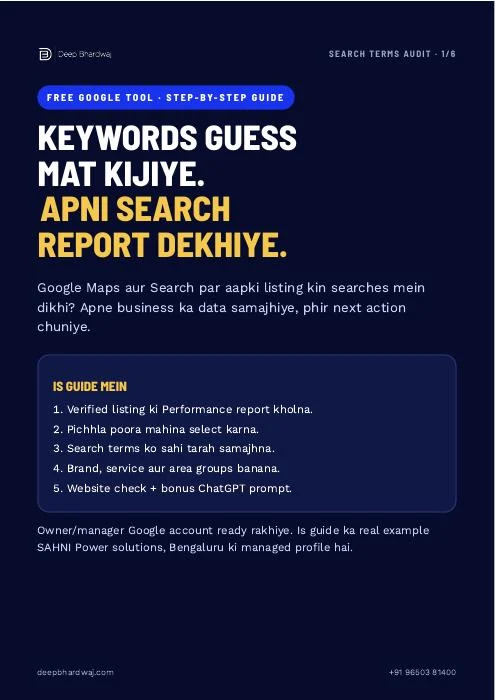

You want more enquiries, but choosing keywords by instinct makes the next step unclear. Google Business Profile search terms provide a practical starting point for a conversation about local SEO services in India: which searches actually showed your existing listing? This guide explains how to open the Performance report, choose a completed month and organise the visible phrases into brand, service and area groups. The real example comes from the authorised SAHNI Power solutions profile in Bengaluru, with the original reported values preserved. You will also get a worksheet and a ChatGPT prompt to organise the data without inventing demand, rankings or sales.
Quick answer: Open your verified Business Profile using its owner or manager account, select Performance and choose a completed month. Find Searches breakdown and inspect the reported terms. Group relevant phrases by brand, service and area, preserve threshold values, and check the matching website information. These searches indicate visibility, not confirmed enquiries.
Key takeaways
- Use the owner or manager account for the verified profile.
- Choose a completed month and record the date range.
- Keep every reported search term and threshold value unchanged.
- Allow mixed labels when a query includes both brand and area.
- Check relevant service information; measure enquiries separately.
Contents
What does the search-terms report actually tell you?
The report tells you which searches showed your Business Profile during the selected period. It helps you understand the language associated with your existing visibility. It does not tell you the complete search demand in your market or identify the exact query that produced an individual customer enquiry.
Google describes the metric in its Business Profile performance documentation. Search data can include activity from organic results and Google Ads, so do not label every reported term as organic-only. Record the selected month before comparing anything. Keep a dated screenshot with your worksheet so another person can review the same observation without relying on memory or a changing dashboard. If you also run campaigns, discuss the discovery report alongside your Google Ads reporting, keeping the two measurement systems distinct.
“Pehle Google ki ye free report kholunga.”
— Deep Bhardwaj, accompanying Reel
How do you open the report for your own business?
Sign in to the Google account that owns or manages the verified profile, search for your business and open Performance from the management panel. Choose the time period, apply the range and find Searches breakdown. The labels and arrangement can vary with the device and available features.
- Confirm the correct Google account and business.
- Open Performance on your managed profile.
- Select the previous completed month as both start and end.
- Apply the range and verify the displayed dates.
- Find Searches breakdown and open See more when available.
Public competitor listings do not give you access to their private Performance reports. Avoid sharing passwords to collect a screenshot. An authorised manager should use their own account. Our guide to consistent directory listings and local SEO explains another useful accuracy check once you have understood your own profile data.
What does the real September example show?
SAHNI Power solutions’ September 2026 report displayed “generator” with 86, “sahni” with 59, “generator for rent near me” with 38, “generator for home” with 24 and “generator for rent bangalore” with 23. These are original values from the authorised report, captured on 28 October 2026.
The business-name phrase “sahni” belongs to Brand. “generator for rent bangalore” combines Service with Area, while “generator for rent near me” expresses a service and local intent without naming a city. Keep the complete original phrase beside its labels. Do not add the displayed figures together to claim unique customers, calls or sales; the report describes listing visibility.
The accompanying real Maps listing identifies the business and makes the walkthrough easier to follow. Its reviews and public information are separate from the private Performance figures. When reviewing your own SEO performance evidence, record the source, month and actual observation before choosing a relevant website check.
How should you group brand, service and area terms?
Classify each phrase according to the words it actually contains and the business’s real offering. A query may belong to more than one group. Preserve the original term beside the labels, and mark ambiguous phrases for manual review instead of forcing every query into one exclusive category.
| Group | What to recognise | Useful next check |
|---|---|---|
| Brand | Your business or professional name | Is business identity consistent? |
| Service | A service you actually provide | Is the relevant information useful and clear? |
| Area | A city or locality you genuinely serve | Does the page explain that service area? |
| Mixed or unclear | Multiple meanings or an unfamiliar phrase | Apply multiple labels or review manually. |
The bonus prompt organises these labels; it is not a ranking diagnosis. Our explanation of what ChatGPT can and cannot do for SEO gives the wider context. Human review remains necessary before changing business information or publishing new claims.
What should you check on the website after grouping?
Choose a relevant service phrase and open the existing page that should help that customer. Check whether the service, actual area, important questions and contact action are clear. Add useful missing information when needed. The objective is an accurate, helpful page rather than repeated keywords or unsupported coverage claims.
Google’s guidance on creating helpful, reliable content is a useful standard for this review. A city name in a heading alone does not make a page valuable. Explain who the service is for, what it includes and how someone can ask about their requirements.
If the information is hard to find or read on a phone, our website design and improvement service addresses the customer journey. For product businesses, the article on practical Shopify SEO improvements for Indian brands applies the same principle to product and collection information.
What should you avoid concluding from a small report?
A small list is an observation to investigate, not a complete statement about demand or marketing success. Missing phrases, threshold values, reporting dates and feature availability limit what you can infer. Keep enquiry records separate, and avoid claiming that a single content change will deliver a particular ranking or sales result.
Google updates search metrics monthly, and the latest month may take several days to appear. Compare completed periods where possible. A listing appearance, a call-button click and a conversation with your team describe different events. Record the actual outcome you care about rather than treating them as interchangeable.
If the next step is still unclear, request a free SEO audit with the business, period and original observation. Ask for the evidence behind the proposed action. Do not buy a large set of new pages solely because an AI tool created a long keyword list.
How can you turn Google Business Profile search terms into a routine?
Review the same completed-month report, preserve its original phrases and choose one useful check at a time. Record what you changed and when you will recheck it. Use Google Business Profile search terms as discovery evidence, while your lead records establish whether enquiries arrived and were handled.
Keep a simple worksheet with the business, month, term, reported value, group, relevant page and next review date. The accompanying guide provides this structure and a copy-ready prompt. A consistent routine makes the report easier to interpret without promising that every monthly change resulted from your latest edit.
Services that help with this
- Local SEO: Connect accurate profile information with the searches relevant to your business.
- Website improvement: Help visitors understand the service and complete the next action.
TL;DR
- Open the correct profile and completed month.
- Read original terms without changing threshold values.
- Group the data and check relevant service information.
- Measure actual enquiries separately from search appearances.
Frequently asked questions
Can I see a competitor’s search-terms report?
The Performance report requires access to the relevant verified profile. You cannot open a competitor’s private report just by visiting its public Google Maps listing. Use your own authorised business data for this workflow. Public competitor information may provide context, but keep it separate from the figures and search terms reported for your business.
Can one search phrase belong to two groups?
Yes. The real query generator for rent bangalore contains both the service and an area, so it can receive Service and Area labels. Keep the whole original query and its reported value beside the labels. A query such as sahni is a business-name example. Review ambiguous terms manually and do not force every phrase into one exclusive category.
Do I need ChatGPT to read the report?
No. You can read and label the terms yourself in a simple worksheet. The included ChatGPT prompt is an optional way to organise the phrases into brand, service, area and mixed groups. Give it your actual services and areas, keep the original terms, and manually review the output before deciding which website information to change.
Will adding these terms guarantee more enquiries?
The report does not establish a guaranteed result from adding phrases to a page. Choose relevant terms that match services you actually provide, check whether the existing information helps the customer, and measure enquiries separately. Avoid keyword repetition, invented areas and promises of ranking gains. A useful improvement should make the page more accurate and easier to understand.
What if my profile does not show enough search data?
First confirm the account, verified profile, selected month and available report features. Google notes that not all metrics are available for every business, and search data updates monthly. Retain the report’s original threshold values and recheck a completed period. An empty or short report alone is not sufficient evidence that nobody searches for the services you offer.